This article was originally written in Korean and automatically translated into English using AI.
Summary: This post summarizes the cause of the Authentication Failed (200) error in the Naver Map Open API. It covers how console integration changed ncpClientId, govClientId, and finClientId to ncpKeyId, as well as the web service URL registration rules that require excluding the port and URI.
Naver Map Authentication Error
Even though the service URL was correctly registered in the application settings, authentication still fails.
Problem: Naver Map authentication fails
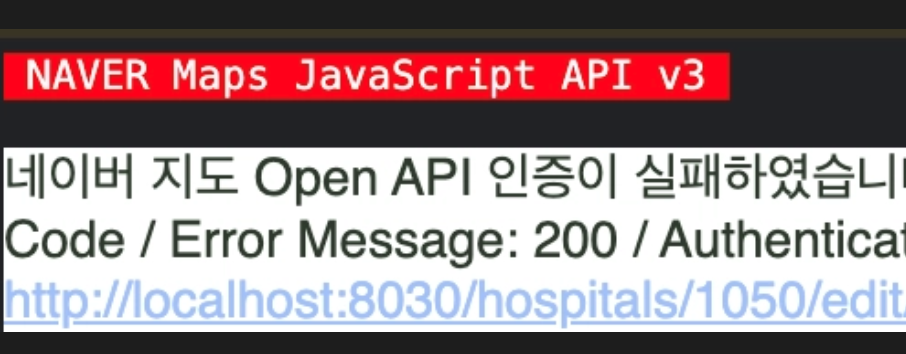
Naver Map Open API authentication failed. Please check the client ID and web service URL., * Error Code / Error Message: 200 / Authentication Failed, * Client ID: xxxxx, * URI: http://localhost:8030/xxxxx
Cause: The client ID parameter name changed from ncpClientId to ncpKeyId
1<!-- 일반 -->
2<script type="text/javascript" src="https://oapi.map.naver.com/openapi/v3/maps.js?ncpClientId=YOUR_CLIENT_ID"></script>
34<!-- 공공 -->
5<script type="text/javascript" src="https://oapi.map.naver.com/openapi/v3/maps.js?govClientId=YOUR_CLIENT_ID"></script>
67<!-- 금융 -->
8<script type="text/javascript" src="https://oapi.map.naver.com/openapi/v3/maps.js?finClientId=YOUR_CLIENT_ID"></script>
After the change
1<!-- 개인/일반 통합 -->
2<script type="text/javascript" src="https://oapi.map.naver.com/openapi/v3/maps.js?ncpKeyId=YOUR_CLIENT_ID"></script>
Why Did It Change
The consoles that were previously separated for public institutions and financial institutions have been integrated into a single console for individuals/general businesses. The parameters were also consolidated into one to match.
Category
Previous Parameter
After Change
Individual/General
ncpClientId
ncpKeyId
Public Institution
govClientId
ncpKeyId
Financial Institution
finClientId
ncpKeyId
It has been announced that the existing consoles for public institutions and financial institutions will be discontinued. If you were using those consoles, you need to issue a new key from the integrated console.
⚠️ Since different documents were updated at different times, some pages still refer to the old parameter name. It is more reliable to check the script loading method based on the Maps JavaScript API v3 Getting Started documentation.
Web Service URL Registration Rules
If the same error occurs even after fixing the parameter, check the web service URL registered in the console.
Only the host domain should be registered; the port number and URI must be excluded.
If the URI shown in the earlier error message was in the form http://localhost:8030/hospitals/..., also check whether the registered value includes a port or path.
Checklist
Check whether the parameter in the loading URL is ncpKeyId.
Check whether the key was issued from the integrated console. Authentication fails if you continue to use a key from the old console.
Remove the port number and path from the registered web service URL.
The previous script may be cached, so clear the browser cache and check again.