
Keeping the OpenVPN Client IP with a wg-easy WireGuard MASQUERADE Exception
Summary: This post explains why the request IP gets replaced with the VPN server IP due to MASQUERADE in wg-easy WireGuard, and how to fix it. By excluding a specific destination range from the iptables NAT rule, the OpenVPN client's private IP is preserved as-is in the logs.
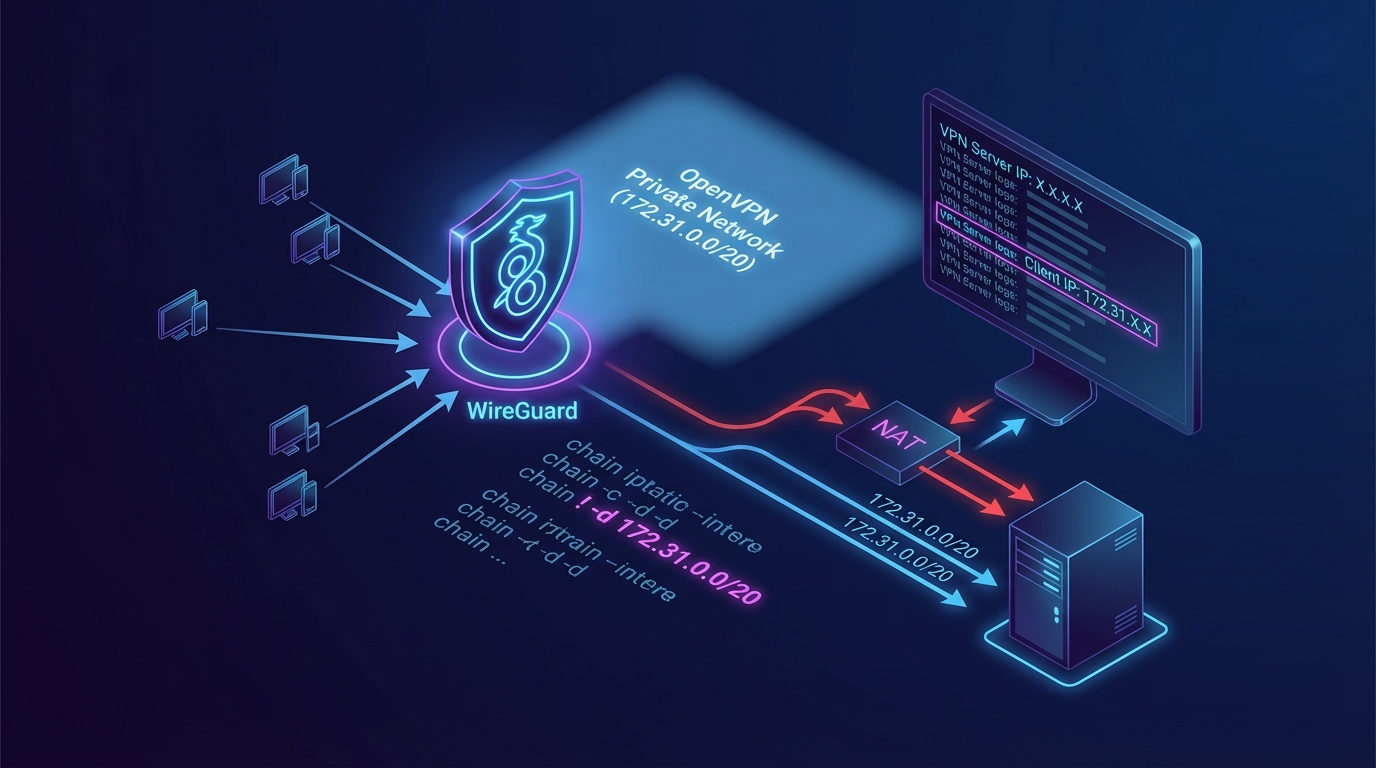
Summary
Because of WireGuard(wg-easy)’s default NAT (MASQUERADE) setting, when a request is sent to an internal network (e.g., an OpenVPN private network), the final server sees the VPN server IP as the request IP.
By excluding a specific range from the MASQUERADE target, the OpenVPN client’s private IP is passed through as the request IP as-is.
The default wg-easy hooks (PostUp / PostDown) include the following NAT rule.
-j MASQUERADEis applied in thePOSTROUTINGchain.- When this setting is active, the source IP is translated to the VPN server IP whenever VPN client traffic goes out.
- So even when accessing an internal range such as an OpenVPN private network, the VPN server IP is what remains in the final server’s logs.
Solution: iptables
The key is to exclude a specific destination range from the MASQUERADE application.
- Add
! -d {range to exclude}to theiptablesNAT rule. - Then traffic heading to that destination is forwarded without SNAT (MASQUERADE).
- As a result, the final server recognizes the OpenVPN client’s private IP as the request IP.
Key point
- Before:
-A POSTROUTING -s {vpnCidr} -o {device} -j MASQUERADE- After:
-A POSTROUTING -s {vpnCidr} ! -d {excludeCidr} -o {device} -j MASQUERADE
Solution: When Using wg-easy
If you’re using wg-easy, edit the hooks in the menu below.
- wg-easy admin panel
- Hooks menu
- PostUp / PostDown scripts
Configuration Example
Existing Configuration
PostUp
1iptables -t nat -A POSTROUTING -s ipv4Cidr -o device -j MASQUERADE; iptables -A INPUT -p udp -m udp --dport port -j ACCEPT; iptables -A FORWARD -i wg0 -j ACCEPT; iptables -A FORWARD -o wg0 -j ACCEPT; ip6tables -t nat -A POSTROUTING -s ipv6Cidr -o device -j MASQUERADE; ip6tables -A INPUT -p udp -m udp --dport port -j ACCEPT; ip6tables -A FORWARD -i wg0 -j ACCEPT; ip6tables -A FORWARD -o wg0 -j ACCEPT;
PostDown
1iptables -t nat -D POSTROUTING -s ipv4Cidr -o device -j MASQUERADE; iptables -D INPUT -p udp -m udp --dport port -j ACCEPT; iptables -D FORWARD -i wg0 -j ACCEPT; iptables -D FORWARD -o wg0 -j ACCEPT; ip6tables -t nat -D POSTROUTING -s ipv6Cidr -o device -j MASQUERADE; ip6tables -D INPUT -p udp -m udp --dport port -j ACCEPT; ip6tables -D FORWARD -i wg0 -j ACCEPT; ip6tables -D FORWARD -o wg0 -j ACCEPT;
Updated Configuration
As an example, we set the 172.31.0.0/20 range as the MASQUERADE exclusion target.
- If the OpenVPN private network (the internal network where the final server resides) is
172.31.0.0/20, requests going to this range will not be SNATed.
PostUp
1iptables -t nat -A POSTROUTING -s ipv4Cidr ! -d 172.31.0.0/20 -o device -j MASQUERADE; iptables -A INPUT -p udp -m udp --dport port -j ACCEPT; iptables -A FORWARD -i wg0 -j ACCEPT; iptables -A FORWARD -o wg0 -j ACCEPT; ip6tables -t nat -A POSTROUTING -s ipv6Cidr -o device -j MASQUERADE; ip6tables -A INPUT -p udp -m udp --dport port -j ACCEPT; ip6tables -A FORWARD -i wg0 -j ACCEPT; ip6tables -A FORWARD -o wg0 -j ACCEPT;
PostDown
1iptables -t nat -D POSTROUTING -s ipv4Cidr ! -d 172.31.0.0/20 -o device -j MASQUERADE; iptables -D INPUT -p udp -m udp --dport port -j ACCEPT; iptables -D FORWARD -i wg0 -j ACCEPT; iptables -D FORWARD -o wg0 -j ACCEPT; ip6tables -t nat -D POSTROUTING -s ipv6Cidr -o device -j MASQUERADE; ip6tables -D INPUT -p udp -m udp --dport port -j ACCEPT; ip6tables -D FORWARD -i wg0 -j ACCEPT; ip6tables -D FORWARD -o wg0 -j ACCEPT;
Viewed as the Full Structure
Below is a view of the full setup so you can see where the change point fits in at a glance.
IPv4 NAT (excluding the specified range)
iptables -t nat -A POSTROUTING -s {{ipv4Cidr}} ! -d 172.31.0.0/20 -o {{device}} -j MASQUERADE;
Allow WireGuard port (UDP)
iptables -A INPUT -p udp -m udp –dport {{port}} -j ACCEPT;
Allow forwarding (VPN → outside)
iptables -A FORWARD -i wg0 -j ACCEPT;
Allow forwarding (outside → VPN)
iptables -A FORWARD -o wg0 -j ACCEPT;
IPv6 NAT
ip6tables -t nat -A POSTROUTING -s {{ipv6Cidr}} -o {{device}} -j MASQUERADE;
Allow IPv6 WireGuard port
ip6tables -A INPUT -p udp -m udp –dport {{port}} -j ACCEPT;
Allow IPv6 forwarding (VPN → outside)
ip6tables -A FORWARD -i wg0 -j ACCEPT;
Allow IPv6 forwarding (outside → VPN)
ip6tables -A FORWARD -o wg0 -j ACCEPT;