
Using a Custom Domain with GitHub Pages
Summary: This post summarizes the CNAME/A/AAAA record settings and the Pages Custom domain setup steps needed to connect a custom domain to GitHub Pages. It also covers the difference in how the CNAME file is handled between Actions and branch deployments, verifying DNS with dig, and why Enforce HTTPS fails to turn on because of a CAA record.
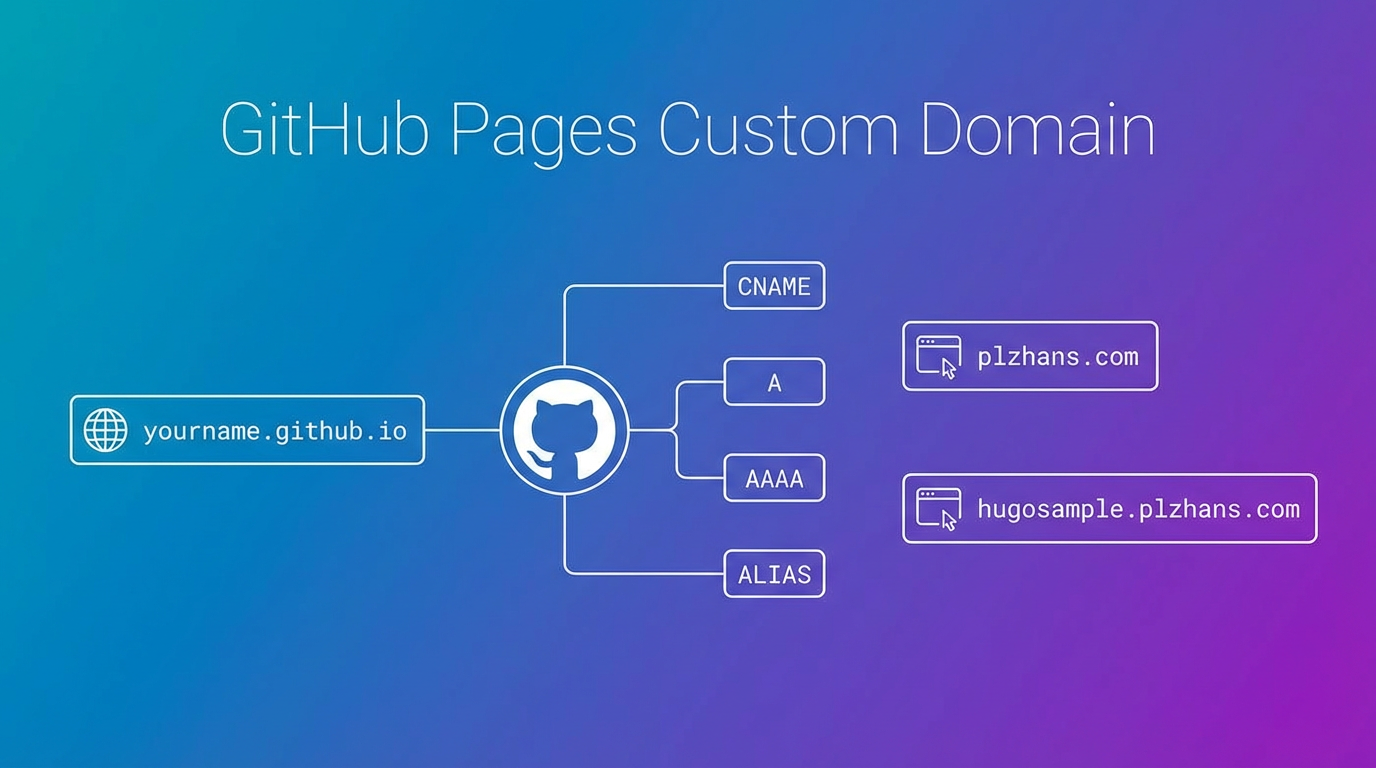
Overview
By default, GitHub Pages provides a URL in the format https://{account name}.github.io/{repo name}/
This document explains how to connect a custom domain.
Using a Subdomain
This is the case where you use a subdomain such as hugosample.plzhans.com.
DNS Settings
Add a CNAME record in your domain’s DNS settings.

Example Configuration
- Type: CNAME
- Name: subdomain (e.g., hugosample)
- Value: {account name}.github.io
GitHub Pages Settings
Enter the custom domain under Repository → Settings → Pages → Custom domain.
Example input: hugosample.plzhans.com

Using an Apex Domain
This is the case where you use the domain root, such as plzhans.com.
What Is an Apex Domain
It refers to the domain itself, without a subdomain such as www or blog attached. It’s also called a root domain, naked domain, or zone apex.
- Apex:
plzhans.com - Subdomain:
www.plzhans.com,blog.plzhans.com
💡 Why you can’t use a CNAME for the apex
A subdomain is settled with a single CNAME line, but the apex uses an A record that specifies the IP directly. The reason lies in the DNS specification.A CNAME record can’t coexist with other records under the same name. However, the apex must always have SOA and NS records that indicate who manages the zone. As a result, putting a CNAME on the apex conflicts with these required records, so any standards-compliant DNS will simply reject the registration.
This is also why GitHub Pages, unlike with subdomains, provides four IP addresses only for the apex.
On Cloudflare, a CNAME does go on the apex
If you use Cloudflare, you may have put a CNAME on the apex and found that it just worked. That’s thanks to the CNAME Flattening feature.
Cloudflare looks up what the CNAME points to on your behalf, resolves the final IP address, and then responds to external queries with an IP instead of a CNAME. The settings screen shows a CNAME, but the actual response is an A record, so it doesn’t conflict with the standard. In some cases this works by default, while in others you need to turn it on in the settings.
Reference: Cloudflare CNAME flattening
The ALIAS or ANAME records offered by other DNS providers solve the same problem in a similar way.
DNS Settings
Depending on your DNS provider, set up an A, AAAA, or ALIAS record.
| Record Type | Name | Value |
|---|---|---|
| A | @ | 185.199.108.153 185.199.109.153 185.199.110.153 185.199.111.153 |
| AAAA | @ | 2606:50c0:8000::153 2606:50c0:8001::153 2606:50c0:8002::153 2606:50c0:8003::153 |
| ALIAS or ANAME | @ | USERNAME.github.io |
Note: If your DNS provider doesn’t support ALIAS/ANAME records, use an A record instead.
GitHub Pages Settings
Enter the custom domain under Repository → Settings → Pages → Custom domain.
Example input: plzhans.com
Enabling HTTPS
Checking the Enforce HTTPS option automatically applies an HTTPS certificate.
⚠️ Certificate issuance and propagation can take up to 24 hours. If the HTTPS connection doesn’t work, wait about a day and try again.
How the CNAME File Is Handled Depending on the Deployment Method
When you save the Custom domain in Settings, GitHub creates a CNAME file in the deployment source. How this file is handled depends on the deployment method.
- When deploying via a GitHub Actions workflow: The
CNAMEfile is ignored and isn’t needed. The value saved in Settings stays as is. - When deploying from a branch (e.g., gh-pages): The custom domain is managed by the repository’s
CNAMEfile. If you use a deployment tool that overwrites the entire branch with the build output, this file disappears and the Custom domain in Settings gets reset.
If your domain keeps getting reset with branch deployment, make sure the build output includes a CNAME file. With Hugo, if you put a single line with the domain in static/CNAME, it gets copied to public/CNAME on every build.
1# hugo/static/CNAME
2hugosample.plzhans.com
Verifying the DNS Settings
After configuring things, check what value actually gets returned.
1# 서브 도메인 (CNAME)
2dig +short hugosample.plzhans.com CNAME
3
4# Apex 도메인 (A)
5dig +short plzhans.com A
For the subdomain, {account name}.github.io should come back, and for the apex domain, the four GitHub Pages IPs listed earlier should come back. If the values differ, check your DNS provider’s settings again.
When HTTPS Doesn’t Activate
If the Enforce HTTPS checkbox remains disabled, the certificate hasn’t been issued yet.
First, check the CAA record. If your domain uses a CAA record, there must be an entry that allows letsencrypt.org. Without it, certificate issuance itself will fail.
1dig +short plzhans.com CAA
If it still doesn’t activate, clear the Custom domain field and save, then re-enter it to retry issuance.
Using Apex and www Together
This is a setup that makes the same site open whether you access plzhans.com or www.plzhans.com. If your site uses HTTPS, it’s recommended to prepare both.
The point that’s easy to get confused about is that the value entered on the Pages settings screen differs from what you put in DNS. Enter only one line in the Custom domain field, and connect the other one only through a DNS record.
1. Enter only the apex domain in Pages
Enter only plzhans.com in Repository → Settings → Pages → Custom domain. Don’t separately enter www.plzhans.com here.
2. Register both types in DNS
| Record Type | Name | Value | Which access it handles |
|---|---|---|---|
| A | @ | The four GitHub Pages IPs listed earlier | plzhans.com |
| CNAME | www | {account name}.github.io | www.plzhans.com |
3. GitHub handles the redirect automatically
With this setup, GitHub automatically redirects requests coming to www.plzhans.com over to plzhans.com. You don’t need to create a separate redirect rule.
⚠️ If you don’t register the
wwwCNAME record, thewwwaddress won’t connect. The redirect only works when DNS is pointing to GitHub.
Note that a domain starting with www.www, like www.www.plzhans.com, can’t be configured.
Matching the Site baseURL When Using Hugo
Once the custom domain is connected, you also need to change the static site generator’s baseURL to the same address. If the value still points to the old github.io address, the domain will load but the CSS and image paths will be broken.
For where to configure this, see the Building a Hugo + GitHub Blog post.
Reference