
HTTPS TLS/SSL Free vs Paid Certificates
Summary: Compare TLS/SSL certificate issuance flows across free (ACME/Let's Encrypt), paid, and cloud-managed options, and design renewal automation plus termination point minimization to reduce cost and operational risk.
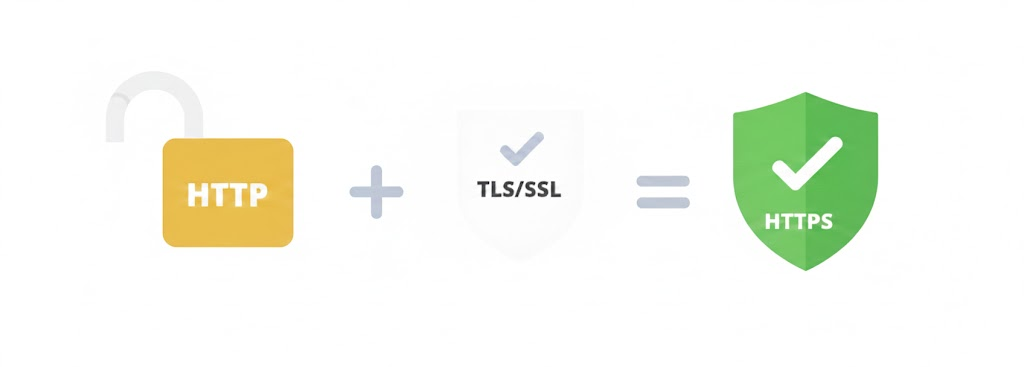
Overview
HTTPS communication requires a TLS/SSL certificate and domain.
Certificates are issued for owned domains, and clients verify that the accessed domain matches the certificate’s domain.
This document organizes domain-specific certificate issuance methods from a practical perspective.
It focuses on practical choices and implementation rather than theory.
SSL Certificate Issuance and Verification Flow
Key Points
- Role of CA Authority: Verifies and signs the server’s public key to ensure trustworthiness
- Role of Issuers: Intermediates the certificate issuance process between the server and CA authority
- Role of OS: Pre-embeds CA root certificates for clients to use in server certificate verification
- Role of Client: Verifies the server certificate’s signature with the CA root certificate embedded in the OS and confirms trustworthiness
(public key + domain info) Issuer->>CA Authority: Forward CSR (Certificate Signing Request) CA Authority->>CA Authority: Domain ownership verification
(DNS/HTTP/Email methods) CA Authority->>CA Authority: Sign server public key with CA private key CA Authority->>Issuer: Issue signed SSL certificate
(public key + CA signature + domain info) Issuer->>Server: Deliver certificate Server->>Server: Install certificate and private key on server CA Authority->>OS: Pre-register CA root certificate
(embedded in browser/OS distribution) %% HTTPS Connection Phase Note over Server,Client: 2. HTTPS Connection Phase Client->>Server: HTTPS site connection request
(Client Hello) Server->>Client: Send SSL certificate
(Server Hello) Client->>OS: Query CA root certificate
(for certificate verification) OS->>Client: Return CA root certificate Client->>Client: Certificate validity verification
1) Verify signature with CA root certificate
2) Check domain match
3) Check validity period alt Certificate verification success Client->>Client: Display secure HTTPS connection (🔒) Note over Server,Client: Encrypted communication begins else Certificate verification failure Client->>Client: Display security warning
(untrusted certificate) end
What is a TLS/SSL Certificate
It is a digital certificate required to convert HTTP to HTTPS on the web. The server generates a private key and
receives a signature from a public CA authority’s root certificate registered in browsers.
The server stores the private key and clients receive the public key to verify validity with the CA root authority.
Technically, TLS 1.2 and TLS 1.3 are the current standards, but the industry still refers to SSL certificates.
This document also uses the term SSL hereafter.
Why HTTPS is Needed
Sensitive information such as passwords and card numbers transmitted via HTTP protocol is exposed on the network.
HTTPS protects against third-party access to transmitted content through SSL protocol encryption.
Encryption Methods
HTTPS combines two types of encryption:
- Asymmetric keys (public/private keys): Used only during initial connection to securely exchange symmetric keys. High security but computationally expensive
- Symmetric keys: Used for actual data communication after initial exchange. Lower computational cost makes it fast and efficient
When HTTPS is Not Needed
If there is no sensitive information and no risk of man-in-the-middle attacks, HTTPS is not necessary.
However, using a Self-Signed Certificate will cause browsers to warn that it cannot be trusted.
This is because it is not verified by CA root certificates registered in the client OS’s certificate store.
Certificate Issuance Methods
1. Purchasing Paid Certificates
Purchase from authorized certificate vendors. The vendor handles public key registration with CA root certificate authorities and delivers certificates with CA information recorded.
Price and Validity Period
- Prices vary by certificate type (DV/OV/EV), coverage scope, domain type (single/wildcard)
- Select period of 1 year or more at purchase (usually 1, 2, or 3 year increments)
- Paid certificates also have expiration periods requiring reissuance and server redeployment upon expiration
2. Cloud Infrastructure Services
Available under limited conditions after domain verification in CDN or load balancer services on cloud-based servers.
Cloud Provider Support Status
- AWS: Provides free ACM (AWS Certificate Manager) certificates for ALB, CloudFront, etc.
- Azure: Provides managed certificates for Application Gateway, Azure CDN, etc.
- Google Cloud: Provides free Google-managed certificates for Cloud Load Balancing
If using load balancer or CDN services, separate certificate purchase is often unnecessary.
3. Free Certificates
Can be issued arbitrarily through Let’s Encrypt or OpenSSL.
A representative service that makes this convenient is acme.sh.
The disadvantage is short expiration periods (usually 3 months) requiring automatic renewal configuration through scheduled services.
Why Use Paid Certificates
Liability Insurance
There is a risk of personal information theft due to CA authority hacking or exposure during the issuance process.
Paid certificates serve as insurance that can compensate with a specified amount if problems occur afterwards.
Certificate prices vary according to compensation amounts.
Actual problems and compensation cases are extremely rare, and if they occur, the CA vendor essentially goes bankrupt.
Legal Entity Verification
OV/EV certificates are used for regulatory/audit purposes to verify legal entity, business registration, address, contact person, etc.
When to Use Free Certificates
- When HTTPS addresses are needed in specific infrastructure environments but liability or payment is unnecessary
- When passwords or personal information must be encrypted but liability is not needed for internal servers
- To resolve untrusted certificate errors when using HTTPS-dependent features like gRPC
- When not needed for development servers or prototype stages
Disadvantages of Free Certificates
- Usually require renewal every 3 months
- Need to configure automatic renewal with Crontab or scheduled services
- Difficulty exists depending on issuance procedures (recommend the representative free issuance service acme.sh)
Selection Criteria
Development Environment: Use free certificates
Production Environment: Recommend purchasing paid certificates at reasonable prices
Actual Configuration Strategy
Prioritize Cloud Environment Utilization
If using cloud infrastructure, prioritize cloud-provided certificates over purchasing paid certificates.
AWS ACM, Azure managed certificates, and GCP managed certificates are free, automatically renewed, and easily integrated with load balancers/CDNs.
Consider paid certificates only when cloud certificates are insufficient.
Minimize Termination Points
Apply SSL certificates only to the first endpoint server exposed to clients (ALB, Nginx, etc.) and
recommend communicating via HTTP for internal reverse proxy sections.
Advantages
- Minimize deployment points when replacing certificates
- Internal servers do not need certificate management
- Reduced operational complexity
Note: Delayed Verification Due to Local DNS Cache
If a browser still seems to connect to the old server right after you change a DNS record, it may not be a server configuration problem at all — it could just be a local DNS cache still held on your PC. Clearing the cache often resolves this immediately. See Flushing the DNS Cache on Windows/Linux/macOS for how.