
Blocking AI Bots with Cloudflare - Managed robots.txt and AI Crawl Control
Summary: Cloudflare writes robots.txt on your behalf and blocks AI bots at the edge. It also shows you which bots took how much.
Overview
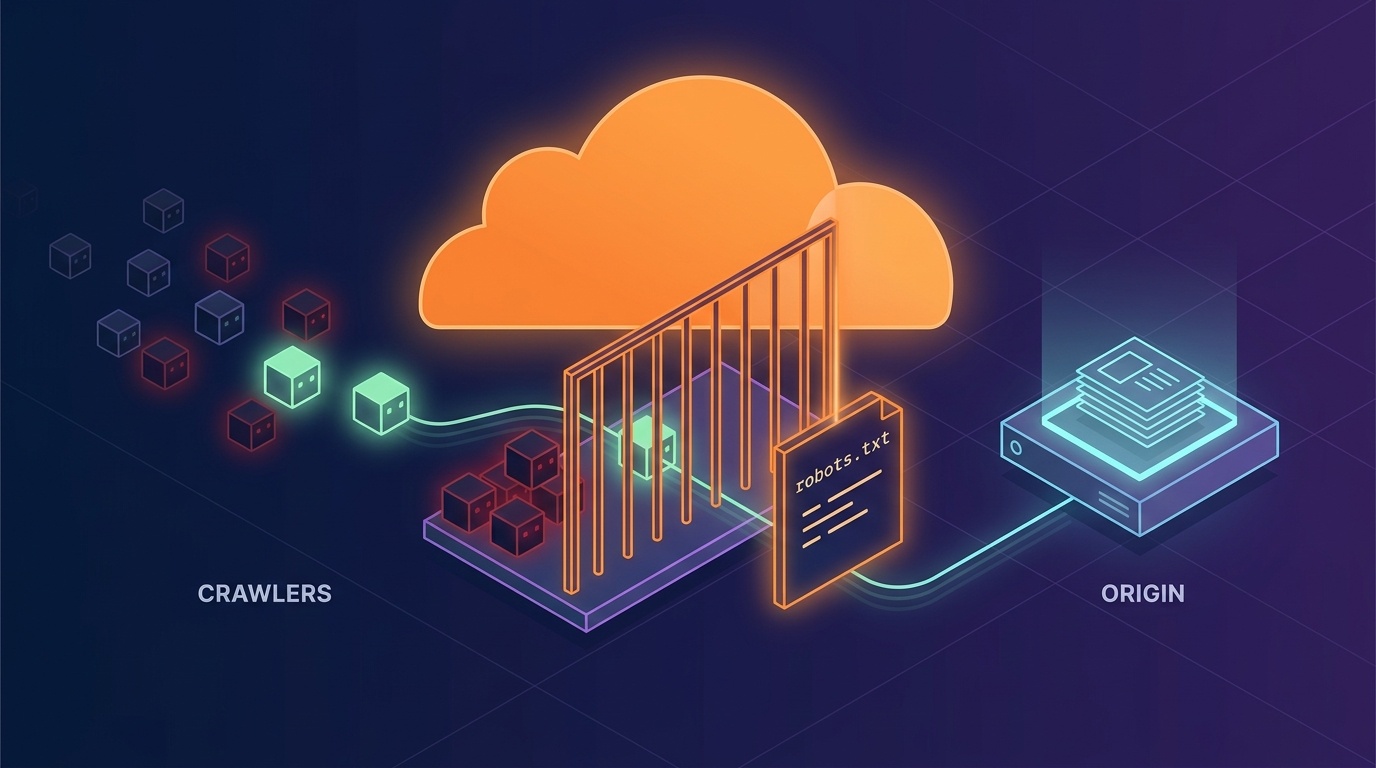
robots.txt only goes as far as stating your intent. It works only on bots that intend to honor it. To actually stop them, you have to cut the request off before it reaches your origin.
Cloudflare has turned both of those into dashboard toggles. There is a feature that writes robots.txt for you, a feature that actually blocks at the edge, and a feature that shows you who took how much.
This article walks through those features. The syntax of robots.txt itself, and the entries that AI has added to it, are covered separately.
Read this first
What kind of instructions you can give AI agents through robots.txt is covered in the article below. It goes through bot names split by purpose, purpose switches like Google-Extended, and the Content-Signal syntax.
- Controlling AI Crawlers with robots.txt - How to Allow Search, Training and Agents Separately — the syntax of robots.txt and the entries AI has added
What Cloudflare does
Here is what Cloudflare is doing, in one line. robots.txt is a request, edge configuration is enforcement. They have organized it into a handful of dashboard toggles.
Managed robots.txt
Cloudflare attaches a Content Signals block to /robots.txt for you (docs).
The default is search=yes, ai-input=yes, ai-train=no
(Open for search, closed for training.)
If your origin already has a robots.txt, it is not erased — the block is merged into it. If you want to manage it yourself, turn this off and write the Content-Signal line into your own file.
Block AI bots
One toggle actually blocks known AI bots at the edge (docs). It’s free on every plan.
The important thing is that this is a completely different kind of thing from the one above. robots.txt only works on bots that intend to honor it, but this also works on bots that ignore robots.txt. The request never reaches your origin at all.
AI Crawl Control
It shows you which AI bot took what, when, and how much. You can also allow or block on a per-bot basis.
Open the list once and you get a sense of the scale. Even on this blog it picks up about thirty of them. And Cloudflare doesn’t just list them — it sorts them by purpose.
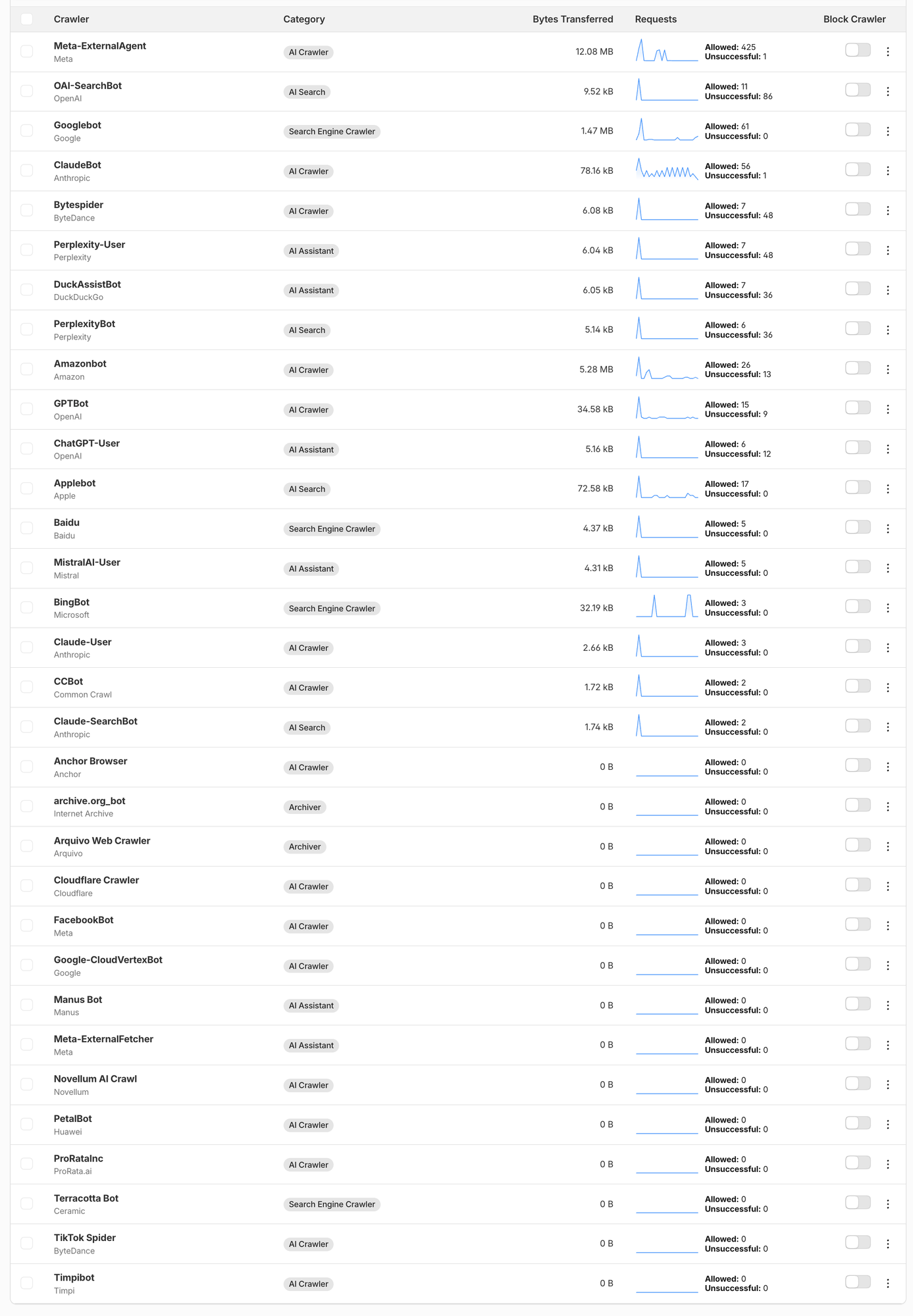
- Search Engine Crawler — Googlebot, BingBot, Baidu. Traditional search crawlers
- AI Search — OAI-SearchBot, PerplexityBot, Claude-SearchBot, Applebot. For AI search indexes
- AI Assistant — ChatGPT-User, Perplexity-User, MistralAI-User, DuckAssistBot. The ones that come in the moment a user asks something
- AI Crawler — GPTBot, ClaudeBot, CCBot, Meta-ExternalAgent, Bytespider. Bulk collection
- Archiver — preservation bots like
archive.org_bot
The purpose axis described earlier has become the UI itself. The search, ai-input and ai-train you write with Content-Signal in robots.txt show up here as categories.
The actual numbers hold some surprises. The biggest taker on this blog was not a search engine but Meta-ExternalAgent. It made 425 requests and took 12 MB. Over the same period Googlebot made 61 requests. If you have been vaguely assuming that “most of it is search bots,” this is a number worth checking.
So this is the step that comes first — it is better to look at the logs before deciding on a policy. Block everything on a vague hunch and you can close off your search traffic along with it.
Pay per crawl
This is an experiment announced in Content Independence Day. It answers crawler requests with 402 Payment Required and puts a price on each request. It is an attempt to add one more option, “allowed if you pay,” to the allow-or-block binary. Still in beta.
In the same announcement, Cloudflare flipped the default for new domains to blocking AI crawlers. You are asked at sign-up whether to open it. Do nothing and it stays closed. The fact that the default flipped from “open” to “closed” says something about the mood of this whole field.
Wrapping up
- robots.txt is a statement of intent and edge configuration is enforcement. They are different in kind, so use them together.
- State your intent with Managed robots.txt, enforce it with Block AI bots, and verify it with AI Crawl Control. That combination is the basic shape.
- Observation comes first. It is better to look at the logs and then decide the policy. Block everything on a vague hunch and you close your search traffic along with it.
- Pay per crawl is an attempt to add one more option to the allow-or-block binary. Still in beta.
References
- Cloudflare — Managed robots.txt
- Cloudflare — Block AI bots
- Cloudflare Blog — Content Independence Day
- Controlling AI Crawlers with robots.txt - How to Allow Search, Training and Agents Separately — the syntax of robots.txt and the entries AI has added