
How to Improve React SPA SEO - From Meta Tags to SSR with Cloudflare Workers
Summary: Put a React SPA on static hosting and the raw HTML is an empty shell. A record of improving it step by step with nothing but Cloudflare Workers — no new server.
Overview
This post is part of the Cloudflare Workers Static Site Guide - From Deployment to SEO series.
It’s common to put a React SPA on static hosting and leave it there. Deployment is simple, and with no server there’s nothing to operate. It costs almost nothing, too.
But once you start caring about search, you hit a wall. The reason is that the raw HTML the server emits has nothing in it for a search engine to read.
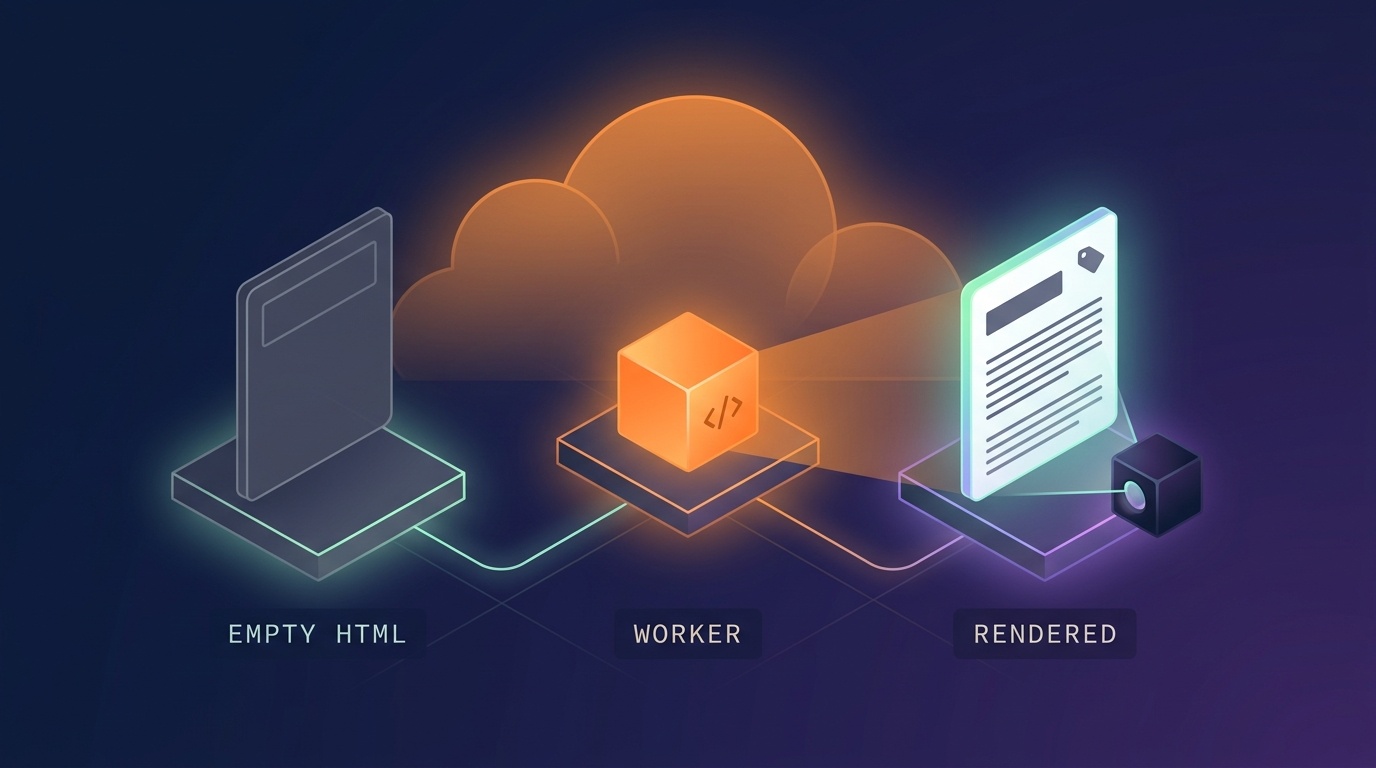
This post is a record of solving that problem with nothing but Cloudflare Workers — without standing up a new backend server. It’s split into three stages. The further you go, the more you gain and the more work it takes.
Stage 0 — do nothing. The raw HTML is an empty shell. Most SPAs are here.
Stage 1 — fill in the meta with Workers. Title, description, OG, and structured data go into the response HTML. Low effort, clear payoff.
Stage 2 — render the body with Workers too. You render the actual screen on the server and put it in. It takes the most work, but now there’s content for the crawler to read.
What this post covers
- Why it’s better to put it in yourself even though Google renders JS
- How to fill in
<head>with Workers, and the traps along the way - Splitting
entry-client/entry-server, andvite build --ssr - How to hand the data the server received over to the browser so you don’t add API round trips
- The numbers that actually changed, and the traps I hit
What it doesn’t cover
- What to fill each meta item with — that’s an SEO topic. See the SEO optimization post
- How to use wrangler, request flow, deployment — Cloudflare Workers Static Site Hosting - Request Flow and Billing · How to Use wrangler - Local Development and Deployment for Cloudflare Workers
- Edge cache and Tiered Cache — How to Set Up Caching in Cloudflare Workers - Edge Cache and Tiered Cache
Prerequisites
I assume you’ve put a static site on Cloudflare before and have booted a Worker locally with wrangler. If this is your first time, it’s better to read the deployment posts above first.
The problem — the raw HTML has no content for a search engine to read
Let’s take the HTML of a built SPA exactly as delivered.
1curl -s https://example.com/products/1234
 1<!doctype html>
 2<html lang="ko">
 3  <head>
 4    <title>My Service</title>
 5    <meta name="description" content="A generic site description" />
 6  </head>
 7  <body>
 8    <div id="root"></div>
 9    <script type="module" src="/assets/index-a1b2c3.js"></script>
10  </body>
11</html>
A shell of about 1.6KB. No product name, no price, no description. All of it is created only after the JS runs and the API response arrives.
For a human there’s no problem at all. The browser runs the JS. The problem is when the reader doesn’t run JS.
- Link preview bots for KakaoTalk, LINE, and X
- Search engine crawlers that don’t run JavaScript
- Various AI crawlers
To them, this page is an empty document titled “My Service”. It also means thousands of detail pages all carry the same title and the same description.
In a service I actually worked on, 80,000 detail pages all had an identical <title> and the inside of <div id="root"> was 0 characters.
“But doesn’t Google render it?”
Yes. That part is true.
Google’s official documentation states that Googlebot goes through three stages — crawling → rendering → indexing — and runs JS with headless Chromium in the rendering stage. The era of SPAs simply not getting indexed is over.
But the same documentation contains these sentences.
Googlebot queues all pages with a
200HTTP status code for rendering (…) the page may stay on this queue for a few seconds, but it can take longer than that.server-side or pre-rendering is still a great idea because it makes your website faster for users and crawlers, and not all bots can run JavaScript.
Read it and you get three things.
- Google does run it — true
- Rendering goes into a queue — not immediately at crawl time, but whenever resources free up. “It may be a few seconds, and it can take longer”
- Google’s own documentation recommends SSR/prerendering — and the reason it gives is “not all bots can run JavaScript”
Number 3 is the key. Google isn’t the only counterpart for search traffic, and for most other bots there’s no public evidence about whether they run JavaScript.
In Korea you’d be curious about Naver’s Yeti, but I couldn’t find official documentation on whether Yeti runs JS. The claim that it “doesn’t run it” is widespread, but I couldn’t confirm the basis for it, so I won’t assert it here. The confirmed facts alone are reason enough to improve things.
And one more thing. Even if Google eventually reads it, link preview bots won’t wait for you. A shared link showing up without a title is a loss separate from indexing.
So the conclusion isn’t “it’s fine because Google handles it” but “it’s better to have it directly in the HTML.”
Stage 1 — filling in meta tags with Workers
The idea
Rendering the whole body is a lot of work. But just filling in the title, description, OG, and structured data already gets you a fair amount.
- The title and description shown in search results differ per page
- Link previews attach properly
- You can hand over “the facts about this page” in structured form via JSON-LD — even without a body
And all of this takes nothing more than putting one thin layer in front of the static assets.
Decide where the Worker runs
Of the prerequisites mentioned in the overview, one applies directly to this stage. The basic rule is “if the asset exists, the Worker doesn’t run” (routing documentation). A path like /, where index.html actually exists, won’t go through the Worker if you leave it alone.
So you specify the paths that should.
 1// wrangler.jsonc
 2{
 3  "main": "./cloudflare/workers/main.ts",
 4  "assets": {
 5    "binding": "ASSETS",
 6    "not_found_handling": "single-page-application",
 7
 8    // HTML routes only. Never `true` - static asset requests are free,
 9    // but anything routed through the worker becomes billable.
10    "run_worker_first": ["/", "/products/*"]
11  }
12}
The Worker doesn’t serve the assets in their place — it receives them and modifies them. The structure is: pull the HTML shell out with env.ASSETS.fetch(request), process it, and send it out.
The Worker code
 1// cloudflare/workers/main.ts
 2export default {
 3  async fetch(request: Request, env: Env, ctx: ExecutionContext): Promise<Response> {
 4    // Only touch HTML. Everything else passes through untouched.
 5    const asset = await env.ASSETS.fetch(request);
 6    if (!asset.headers.get('content-type')?.includes('text/html')) return asset;
 7
 8    const path = new URL(request.url).pathname;
 9    const meta = await metaFor(path, env, ctx);
10    // On failure, ship the shell unchanged. A generic title beats a broken one.
11    if (!meta) return asset;
12
13    return new HTMLRewriter()
14      .on('title', {
15        element(e) {
16          e.setInnerContent(meta.title);
17        },
18      })
19      .on('meta[name="description"]', {
20        element(e) {
21          e.setAttribute('content', meta.description);
22        },
23      })
24      .on('head', {
25        element(e) {
26          e.append(headTags(meta), { html: true });
27        },
28      })
29      .transform(asset);
30  },
31} satisfies ExportedHandler<Env>;
HTMLRewriter is a streaming HTML parser built into Workers. Rather than reading the whole string and substituting, it swaps tags out while the response is flowing. It costs almost nothing in memory or latency.
If the values you insert are human-written text, don’t forget to escape them. If a product name contains & or “, the attribute breaks, and if a JSON-LD value contains , the browser cuts the script off right there.
One minor trap. The handler has to return
void, butHTMLRewriter’s methods returnElementso you can chain them. Write it in the arrow shorthand likeelement: (e) => e.setInnerContent(...)and the types won’t match. You have to use a block body or prefix it withvoid.
The data comes from an API
To put the product name in the title, you need to know the value. You call the API from the Worker.
The examples in this post are generalized from code that uses the public API of console.plzhans.com, which I operate. That’s also why
X-Client-IdandOriginappear together in the code below — that API verifies calls by (client ID, registered Origin) pair. Depending on the API you use, this part may come down to a singleAuthorizationheader.
 1/**
 2 * env comes from `wrangler deploy --var`, e.g.
 3 *   API_BASE_URL  https://api.example.com
 4 *   SITE_URL      https://example.com
 5 *   CLIENT_ID     pub_1a2b3c
 6 */
 7interface Env {
 8  ASSETS: Fetcher;
 9  API_BASE_URL: string;
10  SITE_URL: string;
11  CLIENT_ID: string;
12}
13
14async function fetchProduct(id: string, env: Env, ctx: ExecutionContext) {
15  // https://api.example.com/products/1234
16  const url = `${env.API_BASE_URL}/products/${id}`;
17
18  try {
19    const res = await fetch(url, {
20      headers: {
21        // Not a browser, so Origin is not set automatically.
22        // Needed if the API validates (client id, Origin) as a pair.
23        Origin: env.SITE_URL,
24        'X-Client-Id': env.CLIENT_ID,
25      },
26      // Give up rather than delay the page.
27      signal: AbortSignal.timeout(1500),
28      // Edge-cache it. Most requests never reach the API.
29      cf: { cacheTtl: 3600, cacheEverything: true },
30    });
31    if (!res.ok) return null;
32    return (await res.json()) as Product;
33  } catch {
34    return null; // timeout or network error - fall back to the shell
35  }
36}
There are two important design principles here.
① The page has to load even on failure. Attaching meta is an auxiliary feature. The site must not die because the API did. So every failure path converges on “ship the shell unchanged.”
How to apply the edge cache with the cf option is laid out in the Request documentation.
② Set a timeout. A human only waits on a cache miss, and even then only the first byte is delayed. Still, there has to be an upper bound.
What to attach
The string that headTags() produces is exactly what gets attached. What to put in it differs per service, but the items that pay off most in this spot are roughly these.
canonical· andhreflangif you’re multilingual- OG (
og:title·og:description·og:image·og:url) andtwitter:card - JSON-LD structured data
canonical and hreflang in particular have a clear reason to go here. Insert them from the screen with JS and, to a bot, they may as well not exist. JSON-LD can hand facts to a search engine even without a body, which makes it especially valuable at stage 1, where you can’t render the body yet.
What to fill each item with is an SEO topic, so I won’t cover it here. This post’s concern is “where and how you slot it in.” How to write each item is covered separately in the SEO optimization post.
What stage 1 gets you, and what it doesn’t
| What you get | per-page title and description, link previews, canonical/hreflang, structured data |
| What you don’t get | The body. <div id="root"> is still empty |
The payoff relative to the work is large. Stopping here is a perfectly fine choice.
That said, there’s still no content for the crawler to read. There’s no detail page body and no internal links connecting pages to each other. The latter matters more than you’d think — from the crawler’s point of view, every detail page becomes an island with no connections.
Stage 2 — rendering the body on the server
The idea
The Worker takes over the rendering the browser was doing and puts it into the HTML. Since it runs your React components as they are, there’s no need to hand-port markup. Change a style and the server HTML follows automatically.
The key is splitting the entry point in two.
1src/
2  app/
3    routes.tsx       route definitions only. no router is created here
4    Providers.tsx    shared shell (StrictMode · i18n · QueryClient)
5  entry-client.tsx   for the browser — hydrate
6  entry-server.tsx   for the server — renderToReadableStream
Before — a single entry point
 1// src/main.tsx
 2import { StrictMode } from 'react';
 3import { createRoot } from 'react-dom/client';
 4import { QueryClient, QueryClientProvider } from '@tanstack/react-query';
 5import App from '@/app/App';
 6
 7const queryClient = new QueryClient({
 8  defaultOptions: { queries: { retry: 1, refetchOnWindowFocus: false } },
 9});
10
11createRoot(document.getElementById('root')!).render(
12  <StrictMode>
13    <QueryClientProvider client={queryClient}>
14      <App />
15    </QueryClientProvider>
16  </StrictMode>,
17);
1// src/app/App.tsx
2const router = createBrowserRouter(routes);   // routes are defined in this same file
3
4export default function App() {
5  return <RouterProvider router={router} />;
6}
There are three points in this code that can’t run on the server.
| Code | Why |
|---|---|
document.getElementById('root') | there is no document on the server |
createBrowserRouter(...) | it uses the history API. there’s no notion of a request URL |
new QueryClient() at module top-level | there’s only one per process, so data gets mixed between requests |
The third is the most dangerous. In the browser one tab means one user, so a global cache is correct — but on the server the same instance handles several requests at once. Product A’s data goes out in product B’s response.
After ① Separate route definitions from router creation
 1// src/app/routes.tsx
 2import type { RouteObject } from 'react-router-dom';
 3
 4export const routes: RouteObject[] = [
 5  {
 6    element: <Root />,
 7    children: [
 8      { index: true, element: <Home /> },
 9      { path: 'products/:id', element: <ProductDetail /> },
10    ],
11  },
12];
The point is not creating the router here. The browser builds its router with createBrowserRouter and the server with createStaticHandler — different routers, but the route array has to be the same. If they differ, the screen the server rendered and the browser’s first render diverge, and hydration breaks.
After ② Share the Provider shell
 1// src/app/Providers.tsx
 2export function Providers({
 3  queryClient,
 4  children,
 5}: {
 6  queryClient: QueryClient;
 7  children: ReactNode;
 8}) {
 9  return (
10    <StrictMode>
11      <QueryClientProvider client={queryClient}>{children}</QueryClientProvider>
12    </StrictMode>
13  );
14}
15
16/**
17 * A factory, not a module-level constant.
18 * The server creates one per request and throws it away.
19 */
20export function createQueryClient() {
21  return new QueryClient({
22    defaultOptions: { queries: { retry: 1, refetchOnWindowFocus: false } },
23  });
24}
If you use i18n, for the same reason it has to receive its instance by injection. Change the language on a global i18n and other requests being processed at the same time, in other languages, see that value too.
After ③ The browser entry point
 1// src/entry-client.tsx
 2import { createRoot, hydrateRoot } from 'react-dom/client';
 3import { hydrate, type DehydratedState } from '@tanstack/react-query';
 4import { Providers, createQueryClient } from '@/app/Providers';
 5import App from '@/app/App';
 6
 7const queryClient = createQueryClient();
 8
 9// Data the server rendered with. Absent on non-SSR routes and in dev.
10const ssrState = (window as { __RQ_STATE__?: DehydratedState }).__RQ_STATE__;
11if (ssrState) hydrate(queryClient, ssrState);
12
13const container = document.getElementById('root')!;
14const tree = (
15  <Providers queryClient={queryClient}>
16    <App />
17  </Providers>
18);
19
20/*
21  Adopt existing markup if there is any, otherwise render fresh.
22  hydrateRoot attaches events without repainting - no flash.
23  Hydrating an empty container makes React discard it and re-render everything.
24*/
25if (container.firstElementChild) {
26  hydrateRoot(container, tree);
27} else {
28  createRoot(container).render(tree);
29}
hydrateRoot attaches only events without repainting the existing markup. Conversely, hydrate into an empty container and React treats it as a mismatch and re-renders everything. One entry point has to handle all three situations (an SSR’d route / a non-SSR’d route / the dev server), so this is where it branches.
After ④ The server entry point
This is the heart of it.
 1// src/entry-server.tsx
 2import { renderToReadableStream } from 'react-dom/server';
 3import {
 4  createStaticHandler,
 5  createStaticRouter,
 6  StaticRouterProvider,
 7} from 'react-router-dom';
 8import { dehydrate, type QueryClient } from '@tanstack/react-query';
 9import { Providers, createQueryClient } from '@/app/Providers';
10import { routes } from '@/app/routes';
11
12export type RenderResult = { html: string; state: string };
13
14export async function render(
15  url: string,
16  seed: (queryClient: QueryClient) => void,
17): Promise<RenderResult> {
18  const queryClient = createQueryClient();
19  seed(queryClient);
20
21  const handler = createStaticHandler(routes);
22  const context = await handler.query(new Request(url));
23  if (context instanceof Response) {
24    throw new Error(`unexpected Response: ${context.status}`);
25  }
26  const router = createStaticRouter(handler.dataRoutes, context);
27
28  const stream = await renderToReadableStream(
29    <Providers queryClient={queryClient}>
30      <StaticRouterProvider router={router} context={context} hydrate={false} />
31    </Providers>,
32  );
33
34  // Wait for React.lazy routes to resolve.
35  await stream.allReady;
36
37  return {
38    html: await new Response(stream).text(),
39    state: JSON.stringify(dehydrate(queryClient)),
40  };
41}
Four things to know here
① react-dom/server is already in React. There’s nothing extra to install. It’s a subpath of the react-dom package. No new framework to adopt, no plugin.
On web-standard runtimes like Workers you use renderToReadableStream — not Node’s renderToPipeableStream. Which build gets picked is decided by the Vite configuration that follows.
② Why a streaming renderer and not renderToString. If you lazy-load routes with React.lazy, renderToString renders only the Suspense fallback (the loading spinner) and stops there. A streaming renderer can wait until the lazy pieces resolve.
That said, streaming it out isn’t the goal. What we want is complete HTML that a crawler can read in one go, so we wait for everything to finish with await stream.allReady and then take it as a string.
③ hydrate={false}. StaticRouterProvider by default contains loader data in a
④ Hand the data along with dehydrate. — more on that in the next section.
Building — vite build --ssr
It’s a feature built into Vite. No plugin required.
1// package.json
2{
3  "scripts": {
4    "build": "vite build && vite build --ssr src/entry-server.tsx --outDir dist-server"
5  }
6}
Two outputs come out of the same source.
1dist/         browser bundle — unchanged
2dist-server/  server bundle — a single entry-server.js chunk
The Vite configuration needs two lines (SSR options).
 1// vite.config.ts
 2export default defineConfig(({ isSsrBuild }) => ({
 3  ssr: {
 4    // Workers have no node_modules. Bundle every dependency in.
 5    // The default externalizes them, which fails at runtime with
 6    // "Cannot find package 'react'".
 7    noExternal: true,
 8    // Web-standard runtime, not Node. This is also what makes
 9    // react-dom/server resolve to the ReadableStream build.
10    target: 'webworker',
11  },
12  build: {
13    // The client build already copied public/. The server bundle does not need it.
14    copyPublicDir: !isSsrBuild,
15  },
16}));
Leave out noExternal: true and it dies after deployment with Cannot find package 'react'. That’s because Workers has no node_modules.
Build time grew by 1.7 seconds. The 1.7MB server bundle only goes up to the Worker; it never goes down to users.
Wiring it into the Worker
Two lines get added to the stage 1 Worker.
 1import { render } from '../../dist-server/entry-server.js';
 2
 3// ... same as Stage 1 up to here
 4
 5const product = await fetchProduct(id, env, ctx);
 6if (!product) return asset;
 7
 8// Seed the cache with the response the worker already has - render must not refetch.
 9const body = await render(url.toString(), (queryClient) => {
10  queryClient.setQueryData(getProductQueryKey(id), product);
11});
12
13return new HTMLRewriter()
14  .on('title', { element(e) { e.setInnerContent(product.name); } })
15  .on('head', {
16    element(e) {
17      e.append(headTags(meta), { html: true });
18      // Hand the server-side data to the browser.
19      // Escaping `<` stops a literal `</script>` in the data from closing the tag.
20      e.append(
21        `<script>window.__RQ_STATE__=${body.state.replace(/</g, '\\u003c')}</script>`,
22        { html: true },
23      );
24    },
25  })
26  // This line is what Stage 1 does not have: inject the body
27  .on('#root', { element(e) { e.setInnerContent(body.html, { html: true }); } })
28  .transform(asset);
Not adding API round trips matters
If the server fetched the data and rendered the screen, and then the browser calls the same API again the moment it boots, you give back over the network what you gained from SSR.
The fix is the setQueryData + dehydrate combination (TanStack Query SSR guide).
1// server: seed the cache directly - no fetch
2queryClient.setQueryData(getProductQueryKey(id), product);
1// browser: adopt that cache as-is
2if (window.__RQ_STATE__) hydrate(queryClient, window.__RQ_STATE__);
There are two things to watch for.
The query key has to be exactly the same on both sides. One character off and the cache misses and the browser silently calls again. It doesn’t error, which makes it hard to notice. It’s safer to have both sides use the same key-building function.
Without staleTime, a refetch fires right after mount.
1useQuery({ ...options, staleTime: 60_000 });
Once I lined those two up, in my case both the detail and home pages ended up with 0 additional API calls from the browser. Adding SSR actually reduced network round trips.
Results
These are the same URLs fetched with curl.
| Stage 0 | Stage 1 (meta) | Stage 2 (prerender) | |
|---|---|---|---|
<title> | identical sitewide | per page | per page |
| OG · canonical | none (JS only) | present | present |
| JSON-LD | none | present | present |
<div id="root"> body | 0 chars | 0 chars | 1,745 chars |
| Internal links | 0 | 0 | 6 |
| Extra browser API calls | 1 | 1 | 0 |
Does the render fit inside CPU 10ms
This is the most worrying part of stage 2. The free plan gives you 10ms of CPU per request, and the time spent waiting on the API doesn’t count — what counts against the limit is only the CPU actually spent while React renders the tree. What’s included and how it’s measured is laid out in Cloudflare Workers Static Site Hosting - Request Flow and Billing.
So what has to be measured is the cost of the render itself. I handed the data over in advance (i.e. no network) and repeated just the render.
1cpu       wall
2run 1   53.1ms    49.0ms    (cold start)
3run 2    6.8ms     5.5ms
4run 3    7.1ms     5.5ms
5run 4   12.7ms     5.1ms
6run 5   12.1ms     4.7ms
You shouldn’t take these numbers at face value. Look at runs 4 and 5: work that took 5ms on the wall clock reports 12ms of CPU. That’s because Node’s process.cpuUsage() sums CPU across all threads (GC and so on). This workload has no I/O, so the real render cost is closer to the wall side (3–5ms). On top of that, Node and workerd differ in runtime and in GC pressure. Treat these as values for gauging the order of magnitude only.
After deployment, requesting 12 different pages back to back produced no CPU-exceeded errors (1102). That said, it’s a value each person has to verify for themselves, depending on page complexity. Rather than guessing, it’s better to look at the actual CPU time recorded in Workers Logs.
When the edge cache hits, the API round trip disappears and the response finishes in 9.8ms. That’s wall-clock time, and the CPU portion of it is just the render.
Verifying that hydration really matches
“No warnings, so it must match” is weak evidence. Production builds of React strip mismatch warnings, and React 19 sometimes passes over a mismatched node silently. I actually snuck an extra <i> into the server HTML and nothing at all was printed to the console.
A more reliable method is comparing the DOM from both paths directly.
- Open it exactly as deployed and dump
#root’sinnerHTML - Strip only the markup the server inserted from the response so the browser renders it alone, then dump the same thing
- Compare the two
In my case the structure matched completely, 1,118 nodes to 1,118 nodes. The only differences were re-serialized notation the browser produced through the CSSOM, like style="top:var(--x)" versus style="top: var(--x);".
Traps I hit
View source comes out on one line
React’s server renderer has no indentation option. Dump every option renderToReadableStream reads from the installed react-dom and there isn’t a single formatting-related item, and the option lists in the development and production bundles are identical — there’s no hidden debug switch either.
This isn’t laziness, it’s because it can’t be done. Whitespace used for indentation becomes real text nodes and breaks the hydration comparison, and whitespace between inline elements actually renders as a space.
If you want to read it, unfold it on the receiving end.
1curl -s https://example.com/page | npx prettier --parser html | less
Code that touches browser globals at module top level
Anything inside an effect (useEffect) doesn’t run on the server, so it’s safe. The problem is module scope. It dies the moment the server bundle is loaded.
1grep -rnE "^(const|let|export const) .*(window|document|navigator|localStorage)" src
Staging becomes a duplicate document of production
Add SSR and staging becomes a complete site with the same content as production. Before, there was no body, so even getting indexed did little harm — now the two compete.
1// Anything but production is excluded. Missing value fails closed.
2if (env.APP_ENV !== 'production') {
3  response.headers.set('X-Robots-Tag', 'noindex, nofollow');
4}
Don’t block it with Disallow in robots.txt. The crawl itself never happens, so there’s no chance to read the noindex, and URLs that are already indexed stay there. Open the crawl and block only the indexing.
Design the cache along with it, without fail
SSR makes you call the API on every request. Without an edge cache, origin load grows in proportion to page views. At stage 1 you could let it slide, since you were calling to attach one bit of meta — at stage 2 you can’t.
How to apply it and the traps involved (that the cache is separate per data center, Tiered Cache, the conflict with cache.put()) are laid out in How to Set Up Caching in Cloudflare Workers - Edge Cache and Tiered Cache.
How far should you go
You don’t need to prerender everything.
| Path | Stage | Why |
|---|---|---|
| Detail | Stage 2 | there’s content for the crawler to read. there are also many pages |
| Home | Stage 2 | it’s where the crawler arrives first, and the starting point of internal links |
| Search · listings | Stage 1 | the results depend on user input. the cache doesn’t hit either |
| Terms · policies | Stage 1 or noindex | they aren’t indexing targets |
It’s fine to stop at stage 1. The payoff relative to the work is large, and link previews and search result titles are solved by that alone.
Stage 2 is only worth it for “pages that actually have a body for the crawler to read.” And internal links — the point that, without links between detail pages in the HTML, every page is an isolated island to a crawler — is worth checking once.
Summary
- Google renders JS. But it goes into a queue, and Google’s own documentation recommends SSR, citing “not all bots can run JavaScript.”
- Stage 1: fill in meta, OG, and JSON-LD with Workers +
HTMLRewriter. Low effort, clear payoff. - Stage 2: split the entry point into
entry-client/entry-serverand render the body on the server too. react-dom/serveris already in React, andvite build --ssris already in Vite. There’s no new framework to adopt.- Hand the data the server received over with
dehydrateand API round trips don’t increase. - You don’t need to stand up a backend server. If you’re already putting a static site on Cloudflare, the additional infrastructure is zero and you can start on the free plan.
References
- Cloudflare Workers Static Site Hosting - Request Flow and Billing — wrangler · running locally · deployment
- SEO optimization — what to fill it with — how to write canonical, OG, and JSON-LD items
- JavaScript SEO Basics — Google Search Central
Cloudflare
- Workers Static Assets · SPA routing
- HTMLRewriter
- Request
cfoptions —cacheTtl·cacheEverything - Cache API · Tiered Cache
- Limits — CPU · subrequests
React · Vite · libraries