
Terraform Practical Guide: Installation, plan/apply, AWS SSO & AssumeRole, State Backend
Summary: Covers Terraform installation through the basic flow of init, plan, and apply along with project structure. Explains the difference between AWS SSO and AssumeRole for credentials, the backend concept for state sharing with an AWS (S3) example, minimum IAM permissions, and operational tips.
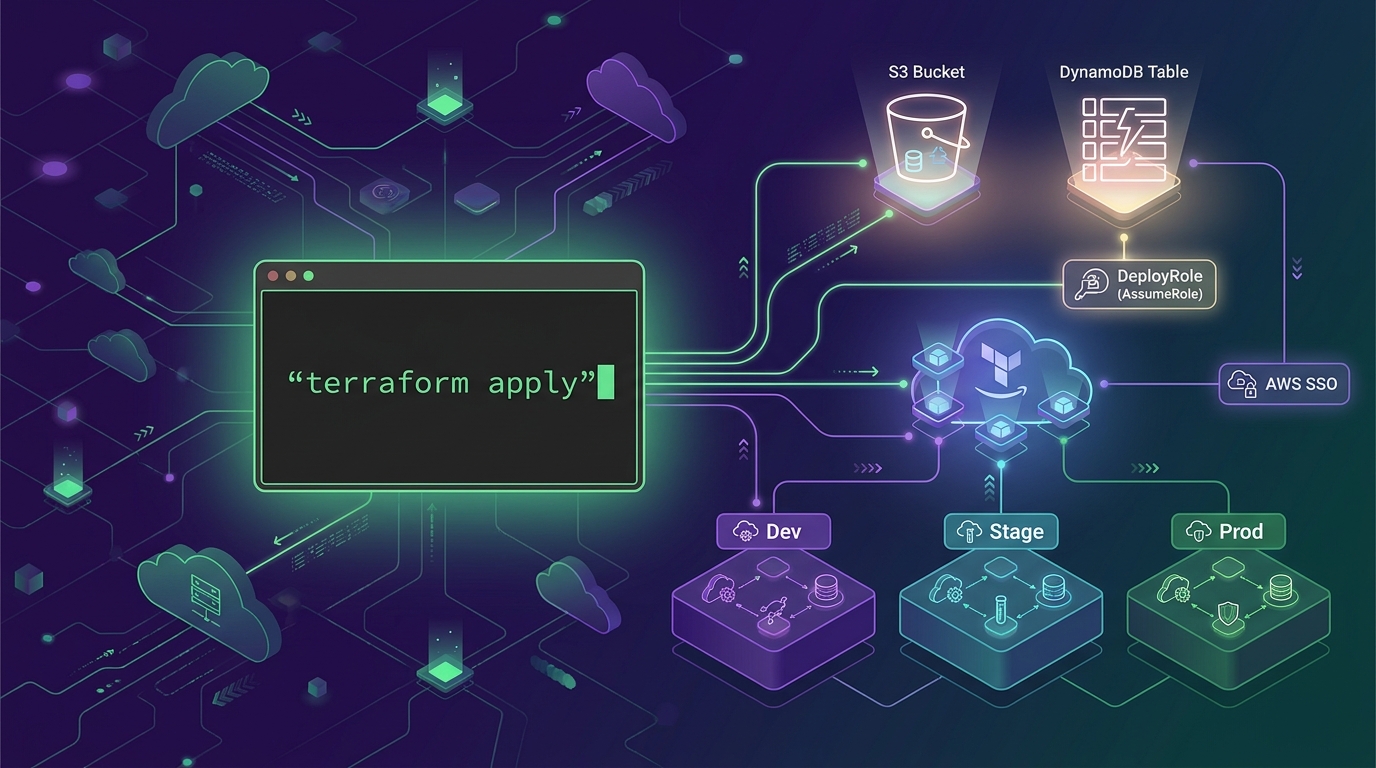
Overview
Terraform is an IaC tool that declares infrastructure in HCL and applies changes with plan and apply. In team operations, a pattern of configuring remote state together with AssumeRole-based credentials is common.
What is Terraform?
- Declares infrastructure such as servers, networks, and permissions as code (HCL) and reproduces them consistently
- Previews changes with
planand creates/modifies actual resources withapply - Tracks the “current infrastructure state” with a state file, managing differences between code and actual resources
:white_check_mark: The recommended flow is init -> fmt -> validate -> plan -> apply.
Installation
macOS
- Check Homebrew:
brew --version - Install Terraform
brew tap hashicorp/tapbrew install hashicorp/tap/terraform
- Verify installation:
terraform version - Autocomplete (optional):
terraform -install-autocomplete
Linux
Choose either distribution package installation or binary installation.
Ubuntu / Debian Package Installation
sudo apt-get updatesudo apt-get install -y gnupg software-properties-commonwget -O- https://apt.releases.hashicorp.com/gpg | gpg --dearmor | sudo tee /usr/share/keyrings/hashicorp-archive-keyring.gpg >/dev/nullecho "deb [signed-by=/usr/share/keyrings/hashicorp-archive-keyring.gpg] https://apt.releases.hashicorp.com $(lsb_release -cs) main" | sudo tee /etc/apt/sources.list.d/hashicorp.listsudo apt-get update && sudo apt-get install -y terraform- Verify installation:
terraform version
Binary Installation
- Download Linux amd64 or arm64 from https://developer.hashicorp.com/terraform/downloads
- Extract and place in PATH:
sudo install terraform /usr/local/bin/terraform - Verify installation:
terraform version
Windows
winget
- Run PowerShell as administrator
winget install Hashicorp.Terraform
Chocolatey
choco install terraform
Manual Installation
- Download Windows amd64 zip from https://developer.hashicorp.com/terraform/downloads
- Place terraform.exe in your desired folder and add the folder to PATH
- Verify installation:
terraform version
Basic Usage Flow (Command-Based)
1) Project Initialization
terraform init
Initializes provider plugins and backend configuration.
2) Format/Validate
terraform fmt -recursiveterraform validate
3) Preview Changes
terraform plan -out tfplan
Saving the plan to a file ensures only the same changes are applied during apply.
4) Apply
terraform apply tfplan
5) Destroy (Caution)
terraform destroy
In production environments, the blast radius can be large, so it is safer to operate with separate modules/stacks.
6) State Inspection/Debugging
terraform state listterraform state show <address>terraform console(check expressions/locals)
:jigsaw: To bring already-created resources under Terraform management, use
terraform import.
Recommended Project Structure
main.tfResource definitionsvariables.tfInput variablesoutputs.tfOutputsversions.tfPin provider/terraform versionsbackend.tfRemote state backend (for team operations)env/orworkspaces/Environment separation (maintain consistency with whichever approach you prefer)- e.g.
env/dev,env/prod
- e.g.
Variables and Value Injection
- Variable declaration:
variable "region" { type = string } - Value injection priority can be confusing, so in teams the following combination is usually easiest to operate:
- Manage environment-specific values with
.tfvarsfiles - Inject sensitive information via SSM/Secrets Manager or CI Secrets (never hardcode in source)
- Manage environment-specific values with
Example
terraform plan -var-file="env/prod/terraform.tfvars"
AWS Credential Configuration (AWS Provider)
The Terraform AWS provider reads credentials using the AWS SDK approach. To reduce operational risk, prioritize the profile + AssumeRole combination.
:mag: AWS SSO and AssumeRole are not substitutes for each other — they serve different roles. SSO is “a method where a person logs in to receive temporary credentials,” while AssumeRole is “a method of switching to another Role’s permissions based on existing credentials.” In practice, the combination of SSO login -> (when needed) AssumeRole to switch to a deployment Role is commonly used.
Method A. Using AWS CLI Profile
- Create a profile:
aws configure --profile tf - Use in Terraform
- Environment variable:
export AWS_PROFILE=tf - Specify in provider
provider "aws" { profile = "tf" region = "ap-northeast-2" }
- Environment variable:
Method B. Set Environment Variables Directly
export AWS_ACCESS_KEY_ID=...export AWS_SECRET_ACCESS_KEY=...export AWS_DEFAULT_REGION=ap-northeast-2
:warning: Storing long-lived Access Keys permanently on a development PC poses significant operational risk. Use SSO or AssumeRole whenever possible.
Method C. AWS SSO
aws configure sso --profile tf-ssoaws sso login --profile tf-ssoexport AWS_PROFILE=tf-sso
When to use
- When a person (developer/operator) logs in to the console/CLI
- When you want to work with temporary credentials without long-lived Access Keys
Characteristics
- After SSO login, temporary credentials are stored/cached in the profile
- Useful when managing organizational accounts/permissions via SSO instead of IAM Users
Method D. AssumeRole (Recommended Pattern)
Instead of creating keys for a high-privilege account, create a deployment-only Role and use STS AssumeRole.
export AWS_PROFILE=sourceexport AWS_ROLE_ARN=arn:aws:iam::<account-id>:role/terraform-deployexport AWS_REGION=ap-northeast-2
When to use
- When you want to “elevate” or “separate” permissions by switching to a deployment-only Role (especially for prod)
- When you need to switch to a Role in another account in a multi-account environment (Dev/Prod, Shared Services)
Characteristics
- Obtains short-lived temporary credentials by assuming a Role via STS
- Makes it easier to track who deployed with which Role, and to narrow permissions
:white_check_mark: Practical recommendation: Log in with SSO (profile), then run Terraform only with a deployment Role (AssumeRole) for clean permission management and auditing.
Backend for State Sharing (Remote Storage)
In team work, it is safer to use a remote backend to share state instead of local state. The backend choice depends on the infrastructure/platform in use.
AWS Example: S3 + DynamoDB
- S3: State file storage
- DynamoDB: State lock (prevents concurrent execution)
:memo: DynamoDB is not mandatory. If only one person runs Terraform and there is no chance of concurrent
apply, S3 alone can work. However, when multiple execution sources are involved like a team/CI, concurrentapplycan corrupt the state, so using DynamoDB lock together is the safest approach in practice.
Backend example
1terraform {
2  backend "s3" {
3    bucket         = "my-tf-state-bucket"
4    key            = "prod/app/terraform.tfstate"
5    region         = "ap-northeast-2"
6    dynamodb_table = "my-tf-lock"
7    encrypt        = true
8  }
9}
:bulb: For team sharing purposes, use a remote backend as the default rather than keeping state locally. On AWS, the S3 + DynamoDB combination is the most common choice in practice.
State Sharing Methods Commonly Used in Practice (Alternatives)
1) Terraform Cloud/Enterprise (Recommended: When SaaS/Organizational Standards Exist)
- Use Terraform Cloud as the backend to manage state/lock
- Pros: Collaboration, state versioning, policies (OPA/Sentinel), run history, variable/secret management are convenient
- Cons: May incur costs and vendor dependency
2) GitOps + Automated Execution (Atlantis, etc.)
- Automatically run
planon PR and executeapplyafter approval - State is stored in a remote backend like S3, while execution is handled by CI/bots
- Pros: Change history and approval flow are clear
- Note: It is safer to block ad-hoc apply from development PCs and unify the execution source to one place
3) Other Remote Backends
- GCP: GCS
- Azure: Azure Blob Storage
- On-premises: HTTP backend, S3-compatible object storage (MinIO, etc.)
:white_check_mark: Summary: In team collaboration, it is easier to first establish “remote state + lock,” then decide “where to run apply (personal PC vs CI/bot).”
IAM Permissions Required for Terraform Execution (Least Privilege Access)
The required permissions vary depending on the types of resources being created. Below are commonly used criteria for minimum privilege design on AWS.
Common
- When using AssumeRole:
sts:AssumeRole - Read-only permissions: Describe/List/Get actions for each service
- When using tags
tag:GetResourcestag:TagResourcestag:UntagResources
Remote State S3 Permission Example
Restrict access to a single state bucket.
s3:GetObjects3:PutObjects3:DeleteObjects3:ListBucket
Restrict target resources to:
arn:aws:s3:::my-tf-state-bucketarn:aws:s3:::my-tf-state-bucket/*
Lock DynamoDB Permission Example
dynamodb:GetItemdynamodb:PutItemdynamodb:DeleteItemdynamodb:UpdateItemdynamodb:DescribeTable
Restrict to the target table ARN.
Resource-Specific Permission Examples
To create VPCs and security groups:
ec2:CreateVpcec2:DeleteVpcec2:DescribeVpcsec2:CreateSubnetec2:DeleteSubnetec2:DescribeSubnetsec2:CreateSecurityGroupec2:AuthorizeSecurityGroupIngressec2:DeleteSecurityGroup
To manage IAM Roles and policies:
iam:CreateRoleiam:DeleteRoleiam:AttachRolePolicyiam:DetachRolePolicyiam:PassRole
:lock:
iam:PassRoleis particularly dangerous. You should restrict the Resource to the necessary Role ARNs.
Minimum Privilege Design Criteria
- Operate deployment accounts on an AssumeRole basis
- Restrict state S3 and DynamoDB at the resource level
- Narrow the target Roles for
iam:PassRoleas much as possible - Separate execution Roles from human accounts
Operational Tips (Commonly Overlooked Points)
- Make
terraform plan -out tfplana habit - Pin provider/terraform versions in
versions.tf - Pin modules with version tags (directly referencing a repo amplifies the impact of changes)
- Never put secrets in code
- In CI, prioritize OIDC-based AssumeRole
- If using workspaces, clarify the purpose (environment separation vs. temporary experiments)
Quick Start
main.tf Skeleton
 1terraform {
 2  required_providers {
 3    aws = {
 4      source  = "hashicorp/aws"
 5      version = "~> 5.0"
 6    }
 7  }
 8}
 9
10provider "aws" {
11  region = "ap-northeast-2"
12}
Execution
terraform initterraform planterraform apply